Backup & Disaster Recovery · Serving WA · OR · ID · MT
Backup & Disaster Recovery Services
For Pacific Northwest Businesses
Immutable backups. Tested restores. Documented recovery. When your business needs its backups (ransomware, hardware failure, insider incident), you’ll actually be able to recover. Most businesses can’t truthfully say the same.
Or call (206) 397-8070
What Is Backup & Disaster Recovery?
Backup is the data itself: recent, verified, and stored somewhere ransomware can’t touch. Disaster recovery (DR) is the ability to keep operating when the primary environment is unavailable: failover infrastructure, documented runbooks, and rehearsed processes. Together they’re what stands between a bad day and a business-ending event.
At inTech Consulting, we design, run, and regularly test backup and disaster recovery for Pacific Northwest businesses across Washington, Oregon, Idaho, and Montana. Our approach: immutable storage that ransomware physically cannot encrypt, real test restores (not just “the backup job completed” emails), documented runbooks with named owners, and quarterly DR drills. When you need to restore, you will be able to restore. We’ve already proven it.
Who It's For
Is Managed BDR Right for Your Business?
Our backup and disaster recovery services are designed for specific types of Pacific Northwest businesses. Here’s who benefits most.
✓ Great Fit
- Businesses with 10–250 employees that can’t afford extended downtime
- Companies with compliance retention requirements (HIPAA, SOC 2, CMMC, FFIEC)
- Organizations still using 5+ year old backup setups that predate modern ransomware
- Businesses that have never test-restored or can’t remember the last time
- Companies that need Microsoft 365 backup (Microsoft doesn’t back up your M365 data the way most assume)
✗ Probably Not a Fit
- Solo operators or teams under 5 people with minimal data
- Businesses that already have a mature, tested BDR program with quarterly drills
- Companies whose entire operation is a single SaaS app (though M365 backup still applies)
- Businesses outside the Pacific Northwest that need on-site support
What's Included
Exactly What You Get With inTech’s Backup & Disaster Recovery
Immutable Storage
Object lock, immutable blobs, and write-once storage that ransomware physically cannot modify or delete, even with domain admin credentials. Not optional in 2026.
3-2-1-1-0 Rule Architecture
3 copies of data, on 2 different media, with 1 off-site, 1 immutable, and 0 errors verified by regular test restores. The 3-2-1 rule alone isn’t enough anymore.
Microsoft 365 Backup
Third-party backup for Exchange, SharePoint, OneDrive, and Teams with 7-year retention. Microsoft doesn’t back up your M365 data. A native retention policy is not a backup.
Real Test Restores
Actual restoration of actual data, not a checkbox. We verify your backups work under the conditions you’d actually face in a real recovery.
Documented Recovery Runbooks
Step-by-step recovery instructions for each scenario, with named owners, escalation paths, and decision trees. Not a spreadsheet only one person understands.
Quarterly DR Drills
A real disaster recovery exercise every 90 days (tabletop or live restore) so the people who’d run recovery under stress have actually practiced it.
Our Proven Framework
How Our Backup & Disaster Recovery Works
A proven process refined protecting Pacific Northwest businesses from ransomware, hardware failure, and human error.
Risk Assessment & BIA
Business impact analysis: what systems matter, in what order, and how much downtime the business can actually absorb. Defines RTO and RPO honestly.
Design & Deploy
Architect backup topology with immutable storage, deploy agents and appliances, run initial seed backups, and validate retention against your compliance needs.
Test & Document
Real test restores, not verified job logs. Author runbooks with named owners, escalation paths, and decision trees. Most clients are surprised by what testing reveals.
Monitor & Drill
Ongoing monitoring, patching, and verification. Quarterly DR drills (tabletop or live restore) with the people who’d actually run recovery under stress.
Why Immutability Matters
Modern Ransomware Targets Your Backups First
Attack Pattern
Backups First
Defense
Immutable Storage
Recovery Time
Hours, Not Weeks
The Modern Ransomware Attack Chain
Ransomware in 2026 isn’t a 2017 attack. It targets the backup system first, encrypts or deletes it, then encrypts production. If your backup runs to a Windows server with the same credentials as your production environment, you don’t actually have a backup. You have an inventory of files the attacker is about to take from you.
What Immutable Storage Means
Immutable storage means data written cannot be modified or deleted for a defined retention period, even by an administrator. Implementation options include:
- Object Lock on Amazon S3: write-once, read-many enforcement at the storage layer
- Immutable blobs in Azure: time-based retention policies that even Azure admins can’t override
- Write-once storage on BDR appliances: hardware-enforced immutability, properly configured
- Air-gapped or logically isolated copies: for the highest-value data
Ransomware cannot touch these because the underlying storage layer refuses to allow modifications. Every BDR engagement we run includes immutable storage.
The Ransomware Response Sequence
When ransomware does land, even with strong prevention, the response sequence we’ve run end-to-end for Pacific Northwest clients:
- Containment: isolate affected endpoints, kill C2 channels, stop lateral movement
- Forensics: determine scope, what was accessed, what was exfiltrated, when the attacker first got in
- Negotiation decision: with you and (if applicable) your cyber insurance carrier
- Recovery from immutable backups: rebuilt clean, not restored to compromised systems
- Post-incident hardening: close the vector that got them in the first time
Transparent Pricing
How Much Does Managed BDR Cost?
Managed backup and disaster recovery for Pacific Northwest businesses typically runs $400–$4,500 per month depending on data volume, recovery objectives, and whether you need standby infrastructure. Microsoft 365 backup adds $4–$8 per user per month. One-time setup is typically $4,000–$15,000 depending on environment complexity. The biggest cost driver is Recovery Time Objective. A business that must be back online in 15 minutes pays significantly more than one that can tolerate a 4-hour outage.
Pricing Goes Higher When:
- You need instant failover with DRaaS ($2,500–$8,000/mo)
- Compliance retention requires 7+ years (CMMC, HIPAA, financial)
- Data volume exceeds 10 TB or grows rapidly
- You need on-premise appliance plus cloud replication
Pricing Goes Lower When:
- You can tolerate longer RTO (4+ hours)
- Your environment is primarily cloud-based already
- You bundle BDR with our Managed IT Services
- Data volume is under 2 TB with slow growth
Want a precise quote for your environment? Book a free 30-minute consultation
Why inTech Consulting
Why Pacific Northwest Businesses Choose inTech for BDR
Immutable Storage on Every Engagement
Ransomware-proof by design, not by hope. Every client gets immutable storage from day one, not an upsell we introduce later.
Real Ransomware Recovery Experience
We’ve run the containment-forensics-recovery sequence end-to-end for PNW clients. Clients with immutable backups were back in hours. Those without took weeks.
Quarterly DR Drills, Not Just Backups
Real recovery exercises every 90 days with the people who’d actually run them. Backups you don’t test are theoretical. Ours are proven.
Microsoft 365 Backup Included
Third-party M365 backup for Exchange, SharePoint, OneDrive, and Teams. Microsoft’s shared responsibility model surprises businesses. We close the gap.
PNW-Based Response
When something happens, you get a local team in your timezone. On-site same-day for urgent incidents in the Puget Sound region.
OMWBE & PWSBE Certified
Certified Minority Business Enterprise (MBE) and Public Works Small Business Enterprise (PWSBE), both through OMWBE, qualifying you for diversity supplier contracts.
Frequently Asked Questions
Common Questions About Backup & Disaster Recovery
What’s the difference between backup and disaster recovery?
Backup is the data itself: recent, verified copies stored safely. Disaster recovery (DR) is the ability to keep operating when your primary site is unavailable. Backups are necessary but not sufficient for DR. A real DR plan also includes failover infrastructure, documented runbooks, and rehearsed processes.
Doesn’t Microsoft back up my Microsoft 365 data?
No, not the way most businesses assume. Microsoft has a shared responsibility model: they guarantee the platform is up, but you’re responsible for protecting your data against accidental deletion, malicious deletion, retention policy mistakes, ransomware that reaches your tenant, and departing employees who scorched-earth their mailboxes. A native M365 retention policy is not a backup. We deploy a third-party M365 backup for every client with 7-year retention (longer for compliance-bound businesses).
How often should backups run?
Depends on your Recovery Point Objective (RPO). Most Pacific Northwest clients run incremental backups every 15 to 60 minutes for critical systems and every 4 to 24 hours for lower-priority data. Microsoft 365 backups typically run 3 to 4 times per day.
How long should we retain backups?
Most businesses we work with retain 30 to 90 days of daily backups, 12 to 24 months of monthly backups, and 7 years for compliance-bound retention (HIPAA, SOC 2, CMMC, financial services). The specific answer comes from your compliance requirements. We design retention policies against your actual obligations, not vendor defaults.
Can you restore one file from three years ago?
Yes, if your retention policy supports it. We design retention policies based on your actual business needs and compliance requirements. Long-term retention for compliance-bound clients typically extends to 7 years or beyond.
What if an employee deletes files maliciously on their last day?
Common scenario. Our retention policies and immutable storage protect against this. We’ve helped clients recover from intentional data destruction more than once. The backup was the difference between a small inconvenience and a serious problem.
Do you back up Azure and AWS cloud workloads?
Yes. Cloud workloads need their own backup strategy. Azure and AWS provide infrastructure resilience, not data resilience. If you accidentally delete a database or an attacker encrypts your VMs, the cloud provider doesn’t restore it for you. We deploy proper backup tools for cloud workloads as part of our Cloud Migration Services.
Backup & Disaster Recovery Across the Pacific Northwest
inTech Consulting delivers backup and disaster recovery services for businesses throughout Washington, Oregon, Idaho, and Montana:
Seattle · Tacoma · Bellevue · Renton · Kent · Auburn · Everett · Portland · Hillsboro · Beaverton · Idaho Falls · Great Falls
Is Your Backup Real?
If you can’t honestly say “yes, we’ve run a successful test restore in the last 90 days,” your backup is theoretical. Book a free 30-minute BDR assessment. We’ll walk your current setup and tell you what’s solid and what needs work, with zero obligation.
Book a Free BDR Assessment Call (206) 397-8070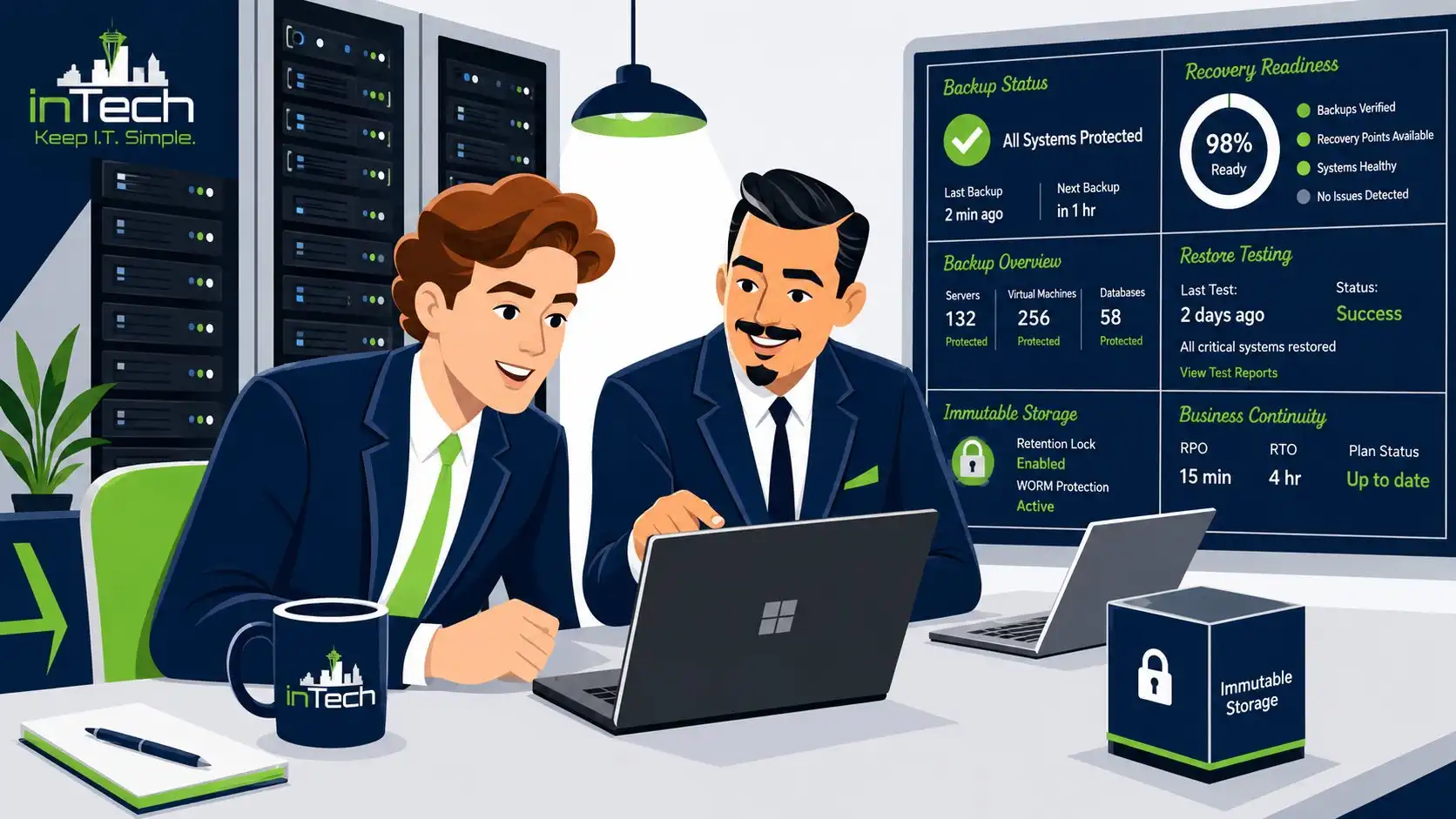
The day a Pacific Northwest business needs its backups is almost always the worst day that business has had. The server is encrypted. Fire suppression triggered and ruined the rack. A disgruntled employee deleted three years of files on their way out. An accidental SQL update wiped a critical table at 4:47 on a Friday.
In every one of those scenarios, what saves the business isn’t heroics. It’s whether the backups are real, recent, immutable, tested, and whether somebody knows how to restore under stress.
inTech Consulting is a Pacific Northwest managed IT, cybersecurity, and backup provider serving businesses across Washington, Oregon, Idaho, and Montana. Headquartered in Kent, WA, our team supports clients from Seattle to Spokane, Portland to Missoula, and everywhere in between. Our promise is simple: when you need to restore, you’ll be able to restore. Most of the providers we replace can’t truthfully say that.